
Troubleshooting
Plain fixes for missing card images, cards you can't find, changes that haven't synced, signing in on a new phone and missing prices.
Most hiccups in Holo Folder come down to signal or to a card we don't have full details for yet. Here's what each one looks like and what to do about it.
Changes haven't synced yet
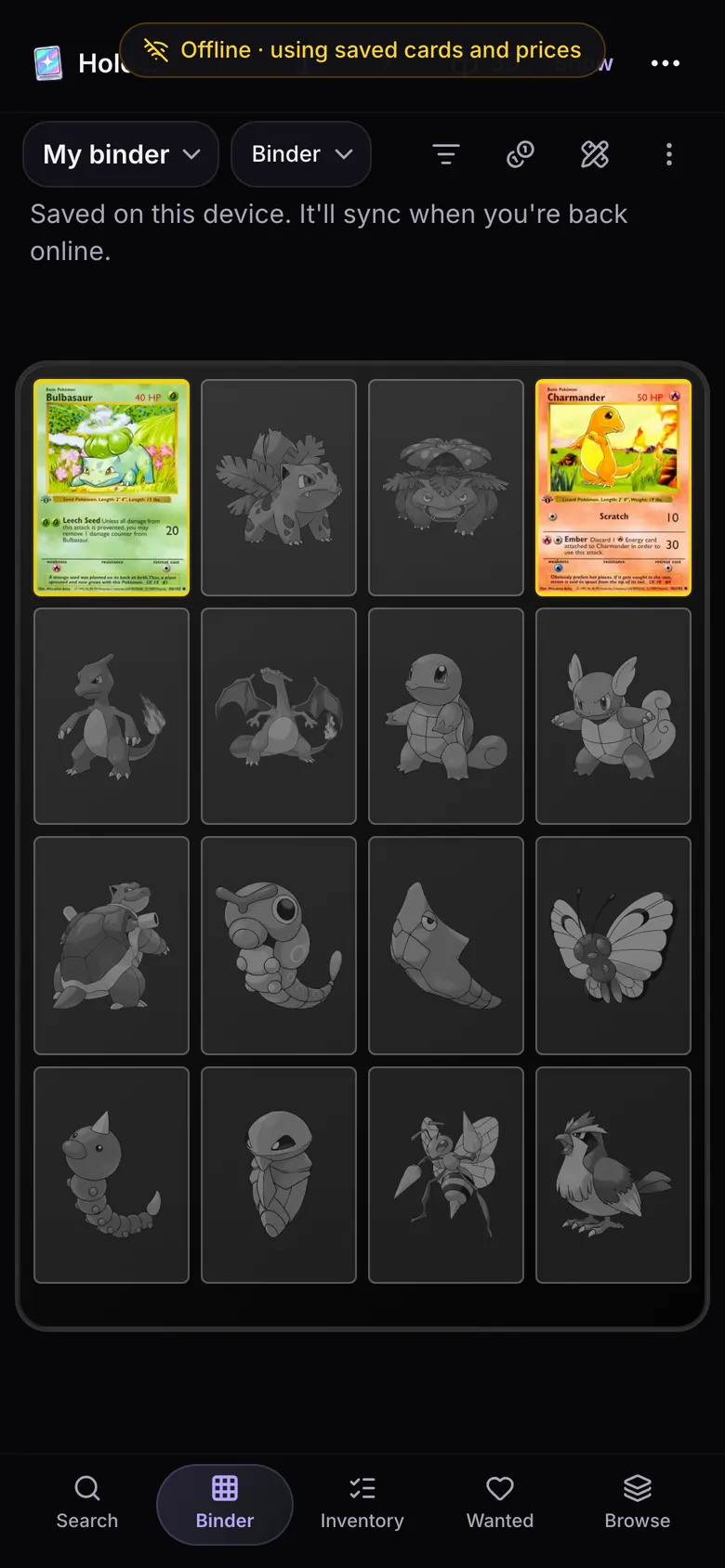
Holo Folder saves every edit on your device first and sends it on when it can, so nothing is lost if your signal drops. When an edit is still waiting, you'll see a short note at the top of your collection:
- "Saved on this device. It'll sync when you're back online." You're offline. Carry on as normal and your changes will go through once you reconnect.
- "Couldn't save your latest change yet. Trying again…" Holo Folder is retrying by itself. Tap Try now if you don't want to wait.
- "Your collection changed somewhere else, so your latest change is on hold. Nothing is lost." Someone else, or you on another device, changed the collection at the same time. Tap Try again.
- "Syncing is paused. Your change is saved on this device. Check you're signed in to the right account." Check the account under More → Settings → Profile, then tap Try again.
- "This change couldn't be saved. Discard it, then make it again." Tap Discard and redo the edit.
While changes are waiting, Activity shows how many there are, and Undo becomes available once they've been saved.
Card images are missing
If a card shows a plain No image tile, we don't have a picture for that printing yet. The card itself is still in your collection and everything else about it works as normal.
If images were showing before but are blank now, you're probably offline and those pictures haven't been saved to your device. To keep a whole binder's images to hand, go to Settings → Offline & app and tap Download binder under Prepare this binder while you have a good connection. See Install and use offline.
I can't find a card in search
Search looks for Pokémon names, card names, sets, illustrators and Dex numbers. If you see "No matches", try fewer words, or a Pokémon name with a set, like Abra 151.
If you're offline, you'll see "No matches in your saved cards" instead. Offline, search only covers cards already saved on your device, so try again once you're connected, or save the sets you need beforehand under Settings → Offline & app → Offline sets.
You can also open the set in Browse (Browse cards and sets) or scan the card.
A card has no price
"No price yet" means we don't have a market price for that card that we're confident in. We'd rather show nothing than a guess. In Show mode the deal checker says "No market price for this card yet, so no verdict" for the same reason.
A few other cases:
- Offline, you'll only see prices already saved on your device, and cards without one say so.
- On a shared binder, prices only appear if the owner has switched on Show prices on shared binder.
- To update your binder's prices, go to Settings → Prices and tap Refresh prices in background.
Prices explains where our prices come from.
Signing in on a new phone
Sign in with the same email address you used before and your binders will load. Tap More → Sign in, then either:
- choose Email, enter your address and tap Continue with email, then open the link we send you;
- choose Password and sign in, or tap Email me a reset link if you've forgotten it; or
- tap Sign in with a passkey, if you've added one under Settings → Sign-in & security.
You'll need a connection the first time. If you open Holo Folder offline on a phone where you've never signed in, it will tell you nothing is saved on this device yet. If you collect with a partner, you'll see the shared collection as soon as you sign in.
Still stuck?
Email us at help@holofolder.com and tell us what you were trying to do, what you expected and what happened instead. A screenshot helps a lot, and if it's about a particular card, include its name, set and number.